I ran into a video review of a spiffy little kit for retrofit-wiring a home with high speed Ethernet, invisibly. Critically, it was a fibre optic setup, and the cable is a thread-thin nylon-coated cable that’s barely visible at ten feet, and easily glued into the corner of a room to be truly vanishing.
The kit was $250, but as is my way I immediately headed to everyone’s favorite cheap Chinese vendor of remarkably good but occasionally shady parts. Here’s what I found, after some research.
Fibre optic cable has been getting better and better. G.657.A2 cable can tolerate some relatively tight bends (still not amazing, but good enough for my purposes), and if you want to hunt around or buy the pricy kit, you can get G.657.B3 cables, which can tolerate 5 mm radius bends.
There’s a fair bit of equipment out there that supports 1 gigabit and 2.5 gigabit tranceivers, and increasingly a lot that support 10 gigabit.
I opted to go cheap and get a 1 pair of gigabit tranceivers (billed as 1.25 gigabits, but there’s overhead for encoding on the line, the reality is 1.)
There are several kinds of cable and tranceiver. Old school used multi-mode fiber and a pair of fibers together, one to send and receive. When I started my career, if you wanted to go distance, you needed a single mode tranceiver which was hundreds of thousands of dollars and involved expensive lasers. A single single-mode fiber can handle several wavelengths of light at the same time, so you can buy a matched pair of tranceivers sending on 1310 and receiving on 1550 nm wavelengths, and vice versa. If you’re patient this will set you back a mere $8.
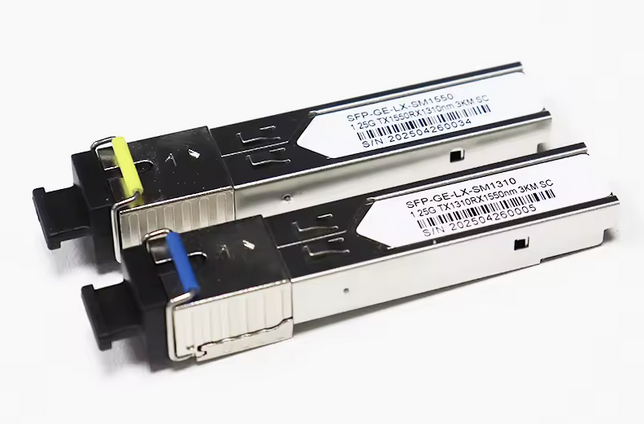
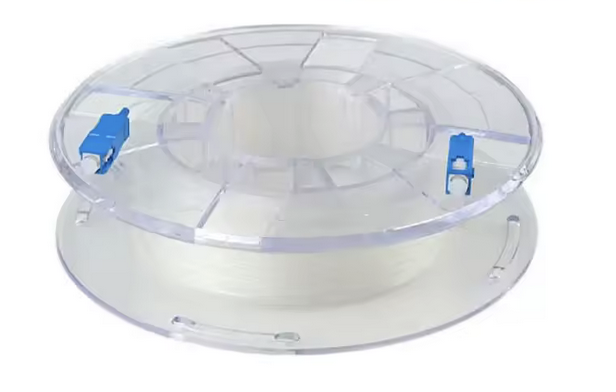
Then you’ll need some cable to plug into it. I didn’t find any unsheathed G.657.B3 cable (there is a bit of white-sheathed out there, but if you want it invisible you have to make it yourself or order it elsewhere.) I opted for the less-flexible but still sufficient G.657.A2-spec cable and … that’s it?!
If you don’t have a router that can handle SFP tranceivers like my BananaPi R3 kits, you’ll need media converters so you get regular old RJ-45 1000base-T on the other side.
I haven’t tried them but media converters are not too expensive if you shop around.
Words of warning:
- Don’t just get a 40km or 80km tranceiver when you have 10 meters of fiber to light. The optics are tuned for brightness and you don’t want to have to buy an attenuator to make it work. Get a 5km or 100m model. The tolerances are wide, but not that wide.
- There are several different cable end standards: SC/UPC, SC/APC, LC, and FC/PC, FC/APC type N and FC/APC type R. Mine are SC/UPC (blue connector), which are widely supported. SC/APC is better (green rather than blue connector), but less supported. Also it doesn’t matter for home networking. LC is a slightly bigger connector, and often used in situations with one channel per fiber. FC is newer, and much less supported.
- Make sure you have a pair of tranceivers, not two of the same end. Don’t just select quantity 2.
- You may need to turn off autonegotiation on the ethernet port. I did. There’s only one option anyway with that tranceiver so there’s no point.
- Single mode and multi mode fiber are different and not interchangeable. Connectors clarify that though.